The Right Way to Display Verified Credentials on LinkedIn

Adding a verified course certificate to your LinkedIn profile turns hard-won skills into instant professional credibility.
When you complete a training program or earn a diploma, displaying that achievement where employers look matters. LinkedIn offers a dedicated section for licenses and certifications that connects your profile directly to the issuing organization and a public verification link. This step-by-step guide explains how recipients can display their credentials correctly and how training providers can make the process straightforward for their learners.
Key Insights
- Accurate organization selection displays the company logo. Choosing the official issuing organization from the LinkedIn dropdown menu links your certificate directly to their company page and shows their branding on your profile.
- Public verification links build immediate trust. Adding a direct URL to a public verification page lets hiring managers confirm your certificate details without creating an account or logging into a portal.
- Credential IDs provide unique records. Entering a distinct verification code ensures your achievement is tied to a specific, tamper-evident database entry.
- Training providers drive adoption by simplifying the workflow. Organizations that supply pre-formatted links and clear instructions help their students share their accomplishments across professional networks.

Why Adding Your Course Certificate to LinkedIn Matters
Your LinkedIn profile is more than an online resume. It serves as an active portfolio of your professional capabilities. When recruiters search for candidates, they look for proof of specific skills. A completed course or specialized training program signals commitment and up-to-date knowledge.
Displaying a credential in the Licenses and Certifications section gives your achievement a permanent home. Unlike a post in the feed, which disappears after a few days, an entry in this section stays visible. Anyone visiting your profile can see what you learned, who taught you, and when you earned the credential.
Many professionals make the mistake of simply uploading a flat image or PDF to their media section. While this shows what the certificate looks like, it does not connect to the issuing institution. It also forces the viewer to inspect a static image rather than checking an authentic record.
A dedicated certification entry links your profile to the issuing institution and gives recruiters a direct path to verify your skills.
Adding your credential properly creates a link to the organization that trained you. When you select the issuing body from the platform list, their official logo appears next to your certificate title. This visual anchor adds immediate authority to your profile.
Furthermore, digital certificates issued through modern platforms carry verifiable data. By including the unique credential ID and verification URL, you give employers confidence that your achievement is genuine.
Step-by-Step Guide to Adding a Certificate to Your LinkedIn Profile
Adding your certificate takes only a few minutes when you have your details ready. Before you begin, locate your digital certificate, your unique verification code, and the public verification link provided by your course provider.
Step 1: Open the Licenses and Certifications Section
Log in to your LinkedIn account on a desktop browser or mobile device. Navigate to your profile by clicking your profile picture.
Look for the "Add profile section" button near the top of your profile page. Click it, expand the "Recommended" category, and select "Add license or certification." If you already have certifications listed, you can simply scroll down to that section and click the plus icon in the top right corner.
Step 2: Fill in the Certificate Name and Issuing Organization
In the "Name" field, type the exact title of the course or diploma as written on your certificate. Avoid adding extra words or personal notes here. Clarity helps recruiters understand the exact scope of your training.
Next, start typing the name of the school, university, or training company in the "Issuing organization" field. A dropdown list of matching LinkedIn company pages will appear.
Always select the official page from this list rather than typing a plain text name. Selecting the official page links your entry to their profile and displays their logo beside your certificate.
Step 3: Enter the Issue Date and Expiration Details
Select the month and year you earned the credential. If the certificate has no expiration date, leave the "This credential does not expire" box checked.
If your credential requires renewal, uncheck the box and enter the expiration date. This is common for compliance courses, safety certifications, or technical qualifications that require regular refreshers.
Selecting the official company page from the dropdown menu ensures the correct logo appears on your profile and connects your credential to the issuer.
Step 4: Add the Credential ID and Verification URL
The "Credential ID" field is where you enter the unique alphanumeric code assigned to your certificate. This code matches the record in the issuer's database and distinguishes your achievement from others.
In the "Credential URL" field, paste the full web address of your public verification page. This link allows anyone who views your profile to click through and see the official, live verification record.
Once you have filled out these fields, click "Save." Your new certification will appear immediately in the Licenses and Certifications section of your profile.
+-------------------------------------------------------------+
|                     Add Certification                       |
+-------------------------------------------------------------+
| Name:                 [ Advanced Project Management       ] |
| Issuing Organization: [ Apex Training Institute           ] |
| Issue Date:           [ May        ] [ 2026 ]               |
| Expiration Date:      [  ] This credential does not expire  |
| Credential ID:        [ APX-88492-VER                       ] |
| Credential URL:       [ https://verify.diplino.com/c/88492  ] |
+-------------------------------------------------------------+
|                                  [ Cancel ]    [ Save ]     |
+-------------------------------------------------------------+
The Difference Between a PDF Upload and a Verifiable Credential URL
Many learners wonder why entering a URL matters if they already have a PDF copy of their certificate. The difference comes down to trust, verification, and user experience.
A static PDF file can be edited with basic image software. Anyone can alter a name, date, or course title on an exported document. Because of this, hiring managers and HR teams treat standalone PDFs with healthy skepticism when making hiring decisions.
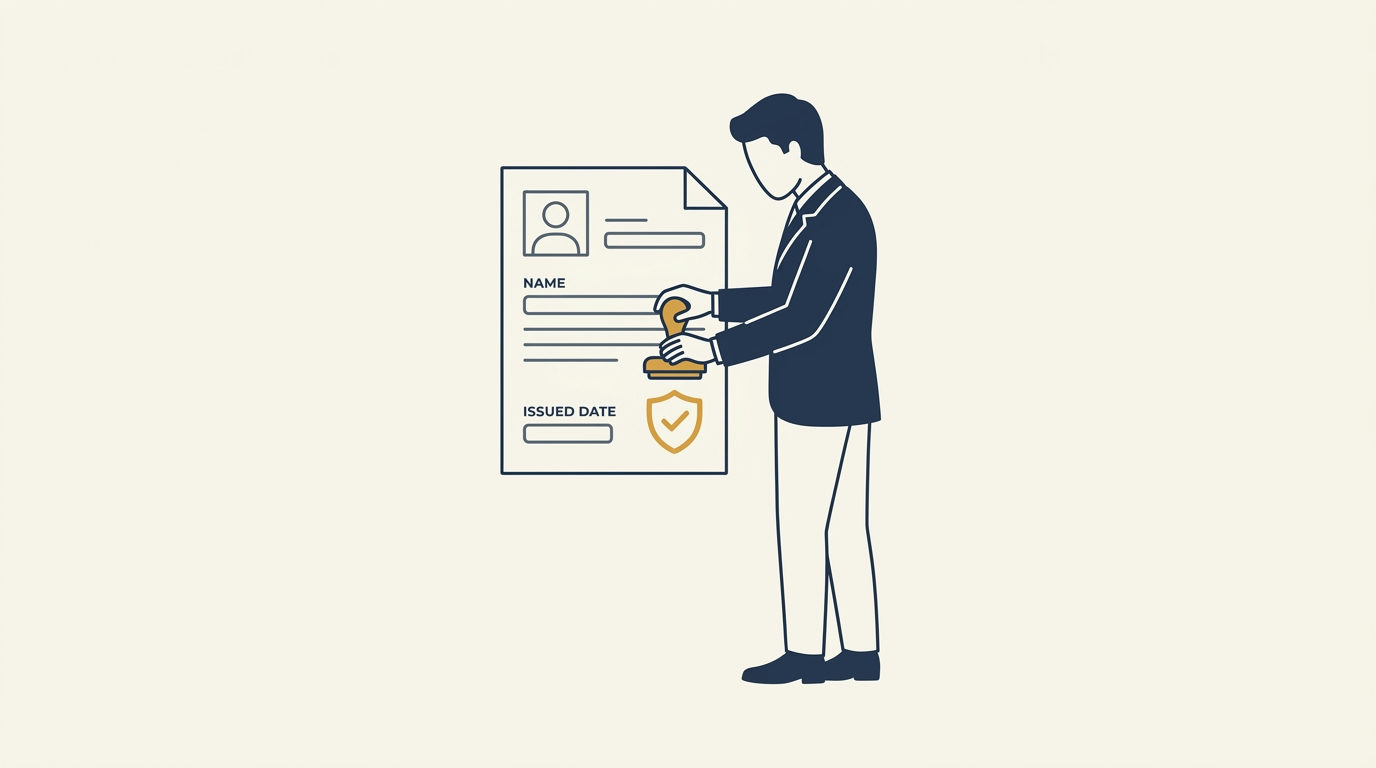
A public verification URL points to an active record hosted on a secure platform. When a recruiter clicks the link on your LinkedIn profile, they open a public verification page. This page displays the recipient name, course details, issue date, and issuing organization directly from the original source.
Public verification links protect the value of your credential by proving its authenticity without requiring the viewer to log in.
The verification process happens instantly in the background. On platforms like Diplino, each certificate is signed with an Ed25519 cryptographic signature. When the public page loads, the server runs a signature check against the database record. Any unauthorized modification to the certificate data becomes obvious immediately.
This setup removes friction entirely. The person checking your certificate does not need an account, a password, or special software. They click the link on your profile, see the verified status, and confirm your achievement within seconds.
How Training Providers Can Support Learners with LinkedIn Sharing
Educational institutions, training companies, and corporate L&D teams invest significant effort into creating quality programs. Helping students share their certificates on LinkedIn extends the reach of those programs and showcases the quality of the training.
When learners post their credentials online, their colleagues and professional connections take notice. This peer visibility acts as organic proof of the value of your courses. However, if the sharing process is complicated, many students will simply download the PDF and forget to add it to their profiles.
Training providers can make this process painless by designing a smooth post-completion experience.
+-------------------------------------------------------------------+
|                     Issuer Support Workflow                       |
+-------------------------------------------------------------------+
| 1. Issue Credential      -> Generate tamper-evident record        |
| 2. Send Delivery Email   -> Include direct profile-add link       |
| 3. Provide Clear Data    -> Supply pre-filled ID and URL          |
| 4. Maintain Company Page -> Ensure logo renders automatically     |
+-------------------------------------------------------------------+
Provide Direct Add-to-Profile Links
The easiest way to help recipients is to give them a pre-filled LinkedIn link. LinkedIn supports custom URLs that open the "Add certification" form with the course name, organization name, and verification URL already filled in.
When a student completes a course on Diplino, the platform can include this link directly in their delivery email and on their public verification page. The student clicks one button, reviews the information, and saves it to their profile. This eliminates typing errors and ensures the correct organization is selected.
Maintain an Active LinkedIn Company Page
For your organization logo to appear next to certificates on learner profiles, you must have an active LinkedIn company page.
Ensure your company page name matches the name used on your certificates. Keep your profile image clean and legible at small sizes, as it will appear as a small icon in the certifications list. When your branding looks professional, learners feel prouder to display it on their personal profiles.
Send Clear Instructions with Certificate Delivery
Do not assume every student knows how to use LinkedIn profile features. When emailing a certificate, include a short three-step guide explaining where to find their Credential ID and URL.
Explain why adding the link matters for their career. Mention that a verified credential carries more weight with employers than an unverified claim. Clear guidance increases the proportion of students who actively share their achievements.
Pre-formatted sharing links remove administrative friction and encourage a higher percentage of graduates to showcase their credentials.
Training providers running bulk programs can save hours of administrative work by using batch generation tools. With Diplino, administrators can generate hundreds of branded, verified certificates from a CSV file. Each recipient receives a unique verification link ready for instant sharing.
Security, Privacy, and Trust Behind Modern Digital Certificates
Trust is the foundation of any credential. If a certificate cannot be verified quickly and reliably, its professional value declines. Modern digital credentials balance rigorous security with user privacy and public access.
Some legacy credential systems rely on complex frameworks or experimental ledgers that require specialized wallets and technical knowledge. Practical organizations need a straightforward approach that works today for everyday users.
+-------------------------------------------------------------------+
|                     Verification Architecture                     |
+-------------------------------------------------------------------+
| [ Recruiter / Viewer ]                                            |
|          |                                                        |
|          v (Clicks URL or scans QR code)                          |
| [ Public Verification Page ]                                      |
|          |                                                        |
|          v (Queries unique code)                                  |
| [ Diplino EU-Hosted Server ]                                      |
|          |                                                        |
|          +---> 1. Database Record Lookup                          |
|          +---> 2. Ed25519 Cryptographic Signature Check           |
|          |                                                        |
|          v (Returns verified status instantly)                    |
| [ Confirmed Authentic Credential ]                                |
+-------------------------------------------------------------------+
Cryptographic Signatures Without Complexity
Diplino secures certificates by signing their core details with Ed25519 cryptographic signatures. This is a modern, highly secure signing algorithm.
When a certificate is generated, the system creates a cryptographic signature based on the recipient name, course title, issue date, and issuing body. If anyone attempts to modify the text on the certificate, the signature check fails.
This provides robust tamper-evident security. Yet, neither the student nor the recruiter needs to understand cryptography to benefit from it. The platform handles the mathematical validation automatically whenever the public page is visited.
Privacy and Data Protection by Design
Data privacy is a major consideration for universities, corporations, and training firms. Certificates contain personal data, including full names, dates of completion, and sometimes internal corporate program titles.
Diplino is hosted entirely within the European Union and adheres strictly to GDPR principles. Organizations retain complete control over their credential records.
Recipients can share their public verification links with confidence, knowing their data is handled according to strict European privacy standards. The platform does not sell user data, run third-party tracking, or require recipients to create unnecessary accounts.
Tamper-evident cryptographic signing ensures certificate authenticity while EU-based hosting guarantees compliance with strict data protection rules.
This balance between open verification and strict privacy creates a dependable foundation for professional credentials. Employers get the proof they need, while institutions and learners maintain control over their data.
Practical Best Practices for Managing Your LinkedIn Certifications
Keeping your LinkedIn profile organized ensures your most relevant qualifications stand out to recruiters and peers. As you build your skills over time, follow these practical tips to manage your credentials.
Keep Course Titles Clear and Specific
When adding a certificate, use the exact professional title provided by the issuing body. Avoid adding internal course codes or marketing slogans unless they are part of the recognized qualification name.
If you earned a credential in a specific methodology or software, make sure that keyword appears in the title. Recruiters often filter candidates using specific technical terms. Having the exact term in your certification title helps your profile appear in relevant searches.
Audit Your Certifications Annually
Review your Licenses and Certifications section once a year. Remove outdated or introductory certificates that no longer reflect your current level of experience.
For example, if you completed an introductory accounting course five years ago and have since earned advanced professional diplomas, the introductory certificate may no longer be necessary. Keeping your profile focused on your highest-level and most recent achievements makes a stronger impression.
Check That All Verification Links Remain Active
Occasionally click through the credential URLs on your profile to verify that they open correctly. Broken links create a poor impression and defeat the purpose of adding a verifiable credential.
Platforms like Diplino provide persistent, permanent URLs for public verification pages. This ensures your links continue to work smoothly years after you complete your training program.
+-------------------------------------------------------------+
|               Certificate Profile Management                |
+-------------------------------------------------------------+
| Best Practice          | Action                             |
+------------------------+------------------------------------+
| Title Clarity          | Use exact, industry-standard terms |
| Annual Review          | Retire outdated entry-level items  |
| Link Health Check      | Test public verification URLs      |
| Skill Alignment        | Connect credentials to target jobs |
+------------------------+------------------------------------+
Match Certifications with Profile Skills
LinkedIn allows you to associate specific skills with each certification. When you add or edit a certificate, select the relevant skills from the prompt.
Linking skills to your certificates provides double the visibility. The skills appear in your general Skills section, and visitors can see that those skills are backed by an authentic credential.

How Different Organizations Benefit from Verified LinkedIn Credentials
Digital credentials deliver value across a wide range of educational and corporate settings. Here is how various organizations use verified certificates to support their goals.
Commercial Training Companies
Commercial training providers depend on student satisfaction and word-of-mouth reputation. When graduates post verified certificates on LinkedIn, they advertise the training provider to their entire professional network.
By providing clean, branded certificates with one-click LinkedIn sharing, training businesses turn every successful student into an ambassador for their courses.
Universities and Academic Institutions
Universities running executive education, short courses, and continuing education programs need professional credential tools. They require systems that uphold their institutional prestige.
Diplino enables universities to design custom templates that match their strict brand guidelines. The tamper-evident Ed25519 verification ensures that the university's name and reputation remain protected against forgery.
Corporate HR and L&D Departments
Internal corporate training teams use digital certificates to recognize employee development, leadership milestones, and compliance completions.
Employees can choose to display internal leadership credentials on their public LinkedIn profiles, signaling the company's investment in its workforce. For compliance records, L&D managers can track completion dates and issue updates using CSV batch workflows.
Workshop and Conference Organizers
Conferences and intensive masterclasses provide focused, practical training. Attendees appreciate having a permanent record of their participation.
Issuing digital certificates immediately following an event gives attendees something concrete to share while the event is still top of mind. This boosts online engagement and builds enthusiasm for future events.
Conclusion
Adding a course certificate to your LinkedIn profile is a straightforward process that delivers lasting professional value. By entering the correct course details, linking the official issuing organization, and adding a direct verification URL, you provide employers with verifiable proof of your capabilities.
For training providers, universities, and L&D teams, offering verified credentials with simple sharing options strengthens learner satisfaction and enhances institutional credibility. Platforms like Diplino make this process efficient by combining brand customization, bulk issuance, and tamper-evident cryptographic security on an EU-hosted platform.
Take a few minutes today to review your LinkedIn certifications. Ensure your latest achievements are listed with accurate IDs and working verification links, giving your skills the professional recognition they deserve.
Frequently asked questions
Continue reading

Showcase Your Expertise: Add Digital Certificates to Your LinkedIn Profile
Unlocking the full potential of your professional profile means more than just listing skills. Discover how verifiable digital certificates build immediate trust and credibility with recruiters and clients.
Issuing Tamper-Proof Internship Certificates for Academic and Work Credits
Standard PDF certificates invite tampering and manual checks. Digital signatures and direct verification links simplify academic credit approvals for employers and coordinators.

Issuing Prevention Course Certificates for Health Insurance Claims
Insurance funds routinely reject reimbursement claims over minor formatting errors. Reliable course records protect participant payouts and remove administrative rework.