Structuring a Secure and Verifiable Digital Certificate

A well-designed certificate does far more than celebrate course completion; it serves as a trusted credential that employers and regulators can instantly verify.
Every training provider, university, and consulting firm issues certificates to recognize hard work and skill acquisition. Yet many organizations still rely on static document templates that leave out critical validation details. A modern digital certificate needs the right balance of clear visual information, distinct identifiers, and instant online verification.
Key Insights
- Issuer clarity builds trust. Every certificate must clearly state the full legal name of the issuing organization, its branding, and the authorized signatory.
- Accurate dates prevent workplace confusion. Distinguishing between completion dates, issue dates, and expiration intervals ensures compliance records remain accurate.
- Unique identifiers eliminate administrative mix-ups. Serial numbers and verification codes connect individual documents directly to authoritative database records.
- QR codes simplify the validation process. Linking a printed or digital document to a live verification page removes the need for complex visual security tricks.
- Cryptographic signing provides tamper-evident proof. Backend security checks ensure that course titles, grades, and recipient names cannot be altered unnoticed.

Why Certificate Design and Validation Structure Matter
When a student finishes a course, the certificate they receive represents real effort. It represents hours of study, practical exercises, and tested skills. For the organization issuing that document, the certificate is an extension of its brand. If the document looks amateurish, the training program looks amateurish. If the document is easy to forge, the value of the credential drops for everyone who earned it.
Training providers face a real operational challenge here. You want certificates that look elegant and professional. At the same time, you need a workflow that does not drown your administrative team in manual data entry. Most importantly, you need a document that an employer can trust without calling your office to confirm whether John Doe actually attended a seminar two years ago.
Many course providers still send basic PDF attachments created in slide software or generic design tools. These static files are easy to edit with standard consumer software. A dishonest person can change the name, alter the date, or upgrade a participation certificate to a master-level qualification in seconds.
A digital certificate must balance clean visual presentation with an underlying verification system that makes tampering impossible.
When you upgrade your certification process, you protect your students and your reputation. A structured certificate tells hiring managers that your training programs follow serious standards. It gives your graduates a credential they can proudly display on LinkedIn or attach to job applications.
Essential Information Every Training Certificate Must Display
A professional certificate must answer four simple questions immediately. Who earned it? Who issued it? What was achieved? When did it happen? If any of these items are ambiguous, the document loses practical utility.
Clear Recipient Identification
The recipient name should be prominent, unambiguous, and formatted correctly. Avoid using informal nicknames or incomplete names on formal credentials.
For corporate training programs or university courses, you might also include a secondary identifier. This could be an internal student number, a professional license number, or an employee reference. Including a secondary reference prevents confusion when two individuals share the same common name. It also helps corporate HR departments match completion records against internal personnel files.
Precise Program and Credential Titles
The title of the training program must be exact. Avoid vague phrasing like "Leadership Seminar" if the actual course covered "Executive Leadership and Team Governance: Level II."
Be clear about the nature of the achievement. Is it a certificate of completion, a certificate of attendance, or a professional certification based on an examination? These distinctions matter to employers. A certificate of attendance simply proves someone sat in a room or logged into a webinar. A certificate of achievement proves they met specific assessment criteria. Stating the scope clearly protects the integrity of your curriculum.
Issuer Identity and Authorization
Your organization's identity must be unmistakable. Include your full legal organization name, your primary brand logo, and contact details or a web address.
A credential should also feature the name, title, and signature of an authorized representative. This might be the lead instructor, the director of education, or the head of the training department. Digital signatures or clean vector reproductions of physical signatures add authority to the layout. They show that a specific person or governing board stands behind the document.
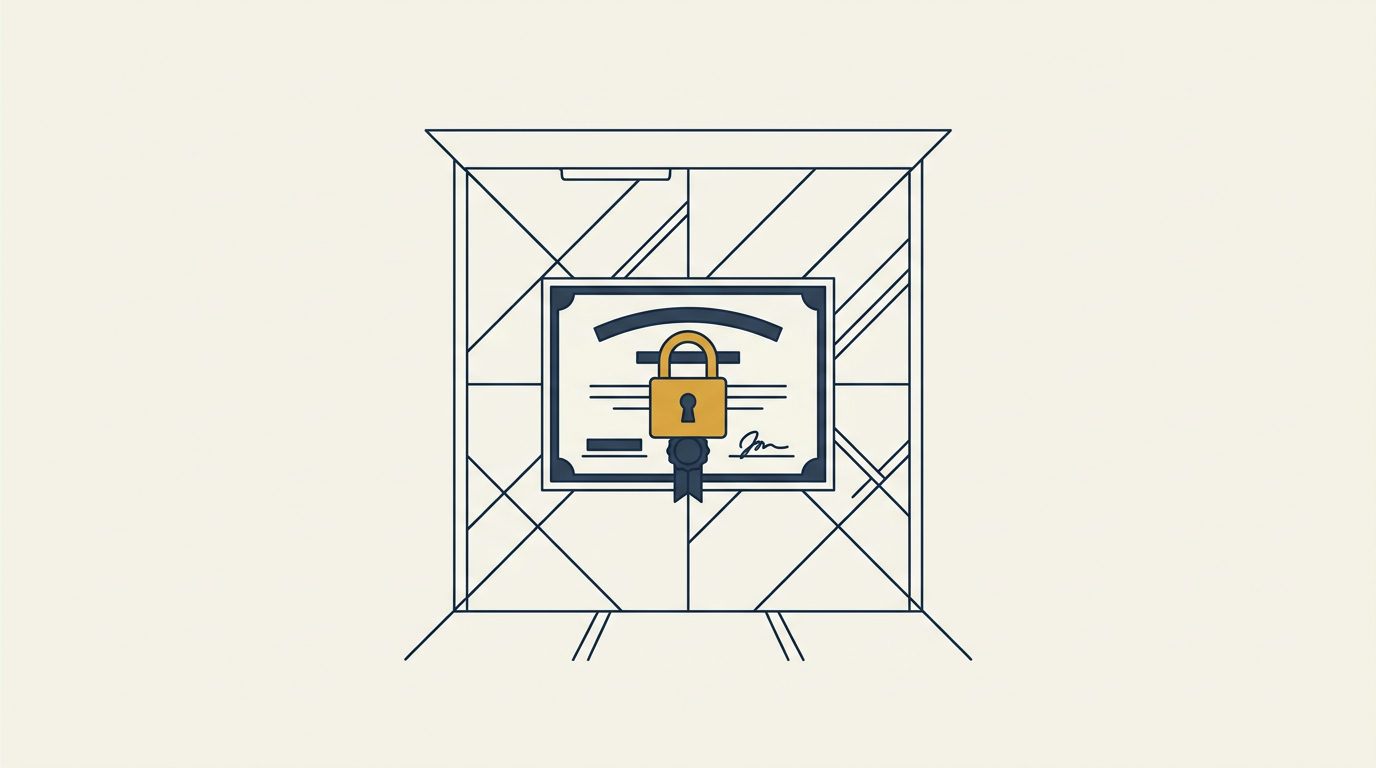
Transparent issuer details and clear achievement levels give hiring managers immediate confidence in a graduate's credentials.
+-------------------------------------------------------------+
|                     ACME TRAINING INSTITUTE                 |
|                                                             |
|                   CERTIFICATE OF ACHIEVEMENT                |
|                                                             |
|                       This is awarded to                    |
|                         SARAH JENKINS                       |
|                                                             |
|       for successfully completing the advanced program in    |
|                Applied Project Management                   |
|                                                             |
|  Issue Date: 12 October 2024      Certificate ID: ACM-88219 |
|  Valid Until: 12 October 2026     Verification: [ QR CODE ] |
|                                                             |
|  ______________________             ______________________  |
|     Program Director                    Lead Instructor     |
+-------------------------------------------------------------+
Getting the Dates and Credential Lifespans Right
Dates on a certificate are not just decorative stamps. They are crucial data points for compliance managers, regulatory bodies, and recruiters. Many administrative disputes originate from vague or missing dates on course documentation.
Completion Date vs Issue Date
In many cases, the day a learner finishes a course is the same day the certificate is produced. However, in structured academic environments or cohort-based corporate programs, these dates frequently differ.
A student might complete their final project on May 15th, while the governing committee officially reviews grades and issues the certificate on June 1st. When this happens, documenting both dates or choosing the most legally relevant date is vital. For compliance courses with mandatory refresher cycles, the completion date usually marks the start of the compliance period.
Managing Expiration and Renewal Periods
Not all skills stay fresh forever. Safety certifications, technical accreditations, and regulatory compliance courses usually have a limited shelf life.
If your credential expires, state the expiration date plainly on the face of the document. Write out the day, month, and year rather than using numeric shorthand that can cause international confusion. For example, use "14 November 2026" instead of "11/12/26," which means November 12 in the United States but December 11 in Europe.
Clear validity windows help both the graduate and their employer plan refresher courses well in advance. When certificates are managed through a modern database, administrators can track these dates automatically rather than checking individual spreadsheets.
Unique Serial Numbers and Document Identifiers
Every certificate you generate must carry a distinct serial number or alphanumeric identifier. A unique code turns a generic PDF into a tracked administrative record.
Why Random Identifiers Beat Simple Sequential Numbers
Many small organizations start by numbering certificates sequentially: 001, 002, 003. While this seems straightforward, it creates unexpected problems.
Sequential numbering exposes your internal business volume to the public. Competitors and clients can easily deduce how many students you train each month. Furthermore, sequential numbers are predictable. A malicious actor can easily guess adjacent certificate numbers to see if they exist.
Using structured alphanumeric strings or unique system-generated codes solves this issue. A code like ACME-2024-X8K9P contains helpful routing information while remaining impossible to guess.
+---------------------------------------------------------------+
|                      SERIAL NUMBER STRATEGIES                 |
+--------------------+------------------------------------------+
| Sequential (Weak)  | 001, 002, 003                            |
|                    | - Exposes business volume                |
|                    | - Easily guessed by unauthorized users   |
+--------------------+------------------------------------------+
| Structured (Strong)| ACME-2024-X8K9P                          |
|                    | - Protects business data                 |
|                    | - Unique, unguessable database record    |
+--------------------+------------------------------------------+
Streamlining Audits and Record Retrieval
When corporate clients undergo ISO audits or industry safety inspections, they often need to produce training records for dozens of staff members. If an auditor asks to verify five employee certificates, searching by unique serial numbers takes seconds.
Unique alphanumeric identifiers turn decorative diplomas into verifiable records that simplify corporate compliance audits.
A proper database stores these serial numbers alongside the recipient's details, course name, issue date, and issuing authority. If a graduate ever loses their physical copy or deletes their email, an administrator can locate the original credential instantly by searching for their name or serial code.
How QR Codes and Verification Pages Change Certificate Design
In the past, physical certificates relied on watermarks, gold foil stamps, embossed seals, and special textured paper to discourage forgery. When organizations moved to digital PDFs, they tried to mimic these physical security features with digital images of gold ribbons and complex borders.
These visual embellishments do nothing to stop modern document fraud. Anyone with basic image editing software can copy a digital seal from one PDF and paste it onto another.
Moving Verification from the Page to the Server
The introduction of QR codes and public verification links completely changes what the visual document needs to prove. Instead of trying to make the PDF visually unalterable, you give the viewer a direct channel to check the authoritative source record.
When an employer scans a QR code on a certificate, their phone or browser opens a public verification page hosted directly by the certification platform. This page displays the official record stored in the issuer's database:
- Full name of the recipient
- Exact title of the qualification
- Name of the issuing training provider
- Official issue date and validity status
- Cryptographic confirmation that the data is authentic
The viewer does not need an account, a password, or special software. They open the link, compare what is on the paper or PDF against what is on the screen, and know within three seconds whether the document is genuine.
+---------------------------------------------------------------+
|                    THE VERIFICATION WORKFLOW                  |
+---------------------------------------------------------------+
|                                                               |
|  [ Physical or PDF Certificate ]                              |
|           |                                                   |
|           |  (Scan QR Code or Click Link)                     |
|           v                                                   |
|  [ Public Verification Page ] <----> [ Secure Database ]      |
|           |                                 |                 |
|           |                          (Ed25519 Check)          |
|           v                                 |                 |
|  [ Instant Confirmation of Authentic Record ]                 |
|                                                               |
+---------------------------------------------------------------+
Cryptographic Signatures Behind the Scenes
A verification page works best when backed by sound server-side security. Platforms like Diplino use cryptographic signatures (such as Ed25519) to sign the core details of every certificate record.
When a certificate is created, the system takes the student's name, the course title, the date, and the identifier, and generates a tamper-evident digital signature. When someone views the verification link, the server checks that signature against its database. If anyone has tried to modify the underlying database record or manipulate parameters, the signature check fails immediately.
This approach does not require complex or speculative technology like blockchains, crypto tokens, or complicated decentralized networks. It relies on proven, industry-standard cryptographic techniques running on secure servers. It gives educational institutions complete control over their records while delivering rock-solid verification to employers.
Privacy, Compliance, and Data Security Considerations
Digital credentials contain personal data. Training providers that operate in or serve clients in Europe must manage this information in full compliance with the General Data Protection Regulation (GDPR).
European Data Residency
Where your certification system stores data matters. If you train European professionals or work with EU-based corporate clients, sending employee names and course completions to unverified overseas servers creates compliance friction.
Using an EU-hosted platform ensures that all personal details, verification logs, and database backups remain within European jurisdiction. It simplifies vendor security assessments and gives enterprise procurement teams peace of mind.
Storing credential records on European servers guarantees full GDPR alignment and satisfies strict corporate data policies.
Balancing Public Verification with Personal Privacy
A public verification link must confirm authenticity without exposing sensitive personal information. A public page should show the recipient's name, their qualification, and the issue date. It should never display home addresses, phone numbers, personal identification numbers, national insurance details, or internal payment records.
Keep the public view focused strictly on professional validation. This protects your students from identity theft while giving hiring managers everything they need to validate a job application.
Design and Branding Standards for Professional Issuers
Your certificate is a marketing asset that graduates display to peers, employers, and professional networks. Clean design and consistent branding make your organization look established and trustworthy.
Avoiding Visual Clutter
A common mistake among course providers is trying to pack too much decoration onto the page. Heavy borders, ornate gothic fonts, and fake parchment backgrounds make certificates look dated and difficult to read.
Follow clean, modern graphic principles:
- Use clear typography with high legibility. Sans-serif or crisp serif fonts work best for names and titles.
- Maintain ample white space around the text so the layout breathes.
- Ensure your logo is sharp and high-resolution, preferably in vector format.
- Position the QR code cleanly in a lower corner where it does not crowd the main text or signatures.
- Choose color palettes that reflect your corporate brand identity rather than generic certificate templates.
+---------------------------------------------------------------+
|                     DESIGN DO'S AND DON'TS                    |
+-----------------------------------+---------------------------+
| DO                                | DON'T                     |
+-----------------------------------+---------------------------+
| - Clean, modern fonts             | - Unreadable gothic fonts |
| - High-contrast white space       | - Fake parchment textures |
| - Sharp vector logos              | - Pixelated images        |
| - Discrete, functional QR codes   | - Cluttered decorative art|
+-----------------------------------+---------------------------+
Multilingual Support and International Distribution
If you deliver workshops or online courses to international participants, your certificate generation tool must handle multiple languages effortlessly.
Special characters, accents, and diverse naming conventions should render accurately across all output formats. If a student's name contains umlauts, accents, or non-Latin characters, the system must print them cleanly on the PDF without formatting bugs. Offering bilingual certificates (such as English alongside the local national language) adds significant value for students working in multinational companies.
Professional Sharing on LinkedIn
When professionals complete a course, their first instinct is often to share the achievement on social media. LinkedIn is the standard platform for career development updates.
Your certification workflow should make social sharing easy. When a graduate receives their digital credential, they should be able to add it directly to the Licenses & Certifications section of their LinkedIn profile with a single click.
When a certificate is added to LinkedIn, it links directly back to the public verification page on your platform. Anyone viewing the graduate's profile can click the link and see the authentic record immediately. This boosts your organization's visibility, drives referral traffic from other professionals, and establishes your brand as an industry authority.
The Complete Certificate Checklist for Training Providers
Before you publish your next course or issue your next batch of credentials, run through this comprehensive checklist. It covers every operational, visual, and technical requirement for professional digital certificates.
+---------------------------------------------------------------+
|              DIGITAL CERTIFICATE ISSUANCE CHECKLIST           |
+---------------------------------------------------------------+
| [ ] 1. RECIPIENT DETAILS                                      |
|     - Full legal name spelled correctly                       |
|     - Secondary identifier included if required               |
|                                                               |
| [ ] 2. ISSUER IDENTITY                                        |
|     - Full organization name clearly stated                   |
|     - High-resolution corporate logo                          |
|     - Signatures and official titles of authorized personnel  |
|                                                               |
| [ ] 3. PROGRAM INFORMATION                                    |
|     - Exact title of the course or program                    |
|     - Clear achievement level (Completion, Attendance, Exam)  |
|     - Summary of key competencies or curriculum scope         |
|                                                               |
| [ ] 4. TIMING & LIFESPAN                                      |
|     - Unambiguous completion and issue dates                  |
|     - Explicit expiration date (if credential expires)        |
|                                                               |
| [ ] 5. SECURITY & VERIFICATION                                |
|     - Unique alphanumeric serial number                       |
|     - Functional QR code linking to public verification page  |
|     - Cryptographic signature generated for database record   |
|     - Verification page accessible without login friction     |
|                                                               |
| [ ] 6. FORMATTING & COMPLIANCE                                |
|     - High-quality, downloadable PDF output                   |
|     - One-click LinkedIn sharing link configured              |
|     - Data hosted in EU-compliant, GDPR-aligned environment   |
+---------------------------------------------------------------+
1. Recipient Details
- Is the student's full name spelled correctly with all appropriate accents and special characters?
- Is an internal student ID or reference number included if required for corporate records?
2. Issuer Identity
- Is the full legal name of your training organization prominently displayed?
- Is your primary logo rendered in high resolution without pixelation?
- Are the names, titles, and signatures of authorized signatories clearly presented?
- Is your official website or contact address listed on the document?
3. Program Details
- Is the exact course title listed without ambiguous abbreviations?
- Does the text state whether the credential is for completion, attendance, or passed assessment?
- Is there an optional brief descriptor of the covered skills or training hours?
4. Date and Validity
- Is the completion date clearly separated from the issue date if they differ?
- Are dates formatted with written month names to avoid international date confusion?
- Is an expiration date clearly marked if the credential requires periodic renewal?
5. Unique Identification and Verification
- Does the certificate display a distinct, non-sequential serial number?
- Is there a clearly positioned QR code that opens the live verification page?
- Is the public verification URL printed out in small, readable text for users without QR scanners?
- Can an external employer view the verification page immediately without creating an account or logging in?
- Is the record protected by server-side cryptographic signatures (like Ed25519) to detect tampering?
6. Technical and Visual Quality
- Does the certificate render cleanly as a professional, high-resolution PDF?
- Is the color scheme aligned with your corporate brand guidelines?
- Can the recipient easily add the credential to their LinkedIn profile?
- Is the underlying student data stored in an EU-hosted, GDPR-compliant database?

Managing Bulk Issuance Without Operational Bottlenecks
Generating certificates one by one might work if you train five people a month. When you run weekly webinars, corporate workshops, or university semesters with hundreds of attendees, manual creation becomes a major bottleneck.
Manual data entry leads to errors. A staff member copying names from a spreadsheet into design software will eventually misspell a name, paste the wrong date, or duplicate a serial number. Every mistake requires manual correction, reissuing, and follow-up emails, which drains administrative time.
Modern certificate platforms solve this through batch generation via CSV imports. You export your attendance list from your Learning Management System (LMS) or registration tool, upload the file, match the columns to your certificate template, and generate hundreds of unique credentials in seconds.
Each certificate in the batch receives its own distinct serial number, QR code, and cryptographic record automatically. The system distributes the finished credentials via email, complete with download links and social sharing buttons. This cuts administrative overhead down to minutes while guaranteeing that every document meets your strict quality standards.
Conclusion
A certificate is more than a polite token of course completion. It is a functional professional document that carries your organization's reputation into the wider job market. When your credentials look sharp, state all essential details clearly, and feature instant QR verification, they deliver lasting value to your learners.
By moving away from static, easily altered PDFs and adopting database-backed digital verification, you protect your brand against fraud. You save hours of administrative work, simplify compliance checks for corporate clients, and give your graduates credentials they can share with complete confidence.
Review your current certificate workflow against this checklist today. Upgrading your certification system ensures that every credential you issue remains professional, secure, and easily verifiable for years to come.
Frequently asked questions
Continue reading
Issuing Tamper-Proof Internship Certificates for Academic and Work Credits
Standard PDF certificates invite tampering and manual checks. Digital signatures and direct verification links simplify academic credit approvals for employers and coordinators.
Participation vs. Completion: Choosing the Right Certificate for Your Program
Many organizations struggle with credentialing. Learn the key differences between participation and completion certificates to enhance your program's credibility and accurately reflect attendee achievements.

Digital Badges Versus Certificates: A Guide for Training Providers
Uncover the key differences between digital badges and formal certificates to best validate learning outcomes and enhance your training programs.